Know what's safe to spend until payday.
One number, worked out from your pay, your expenses and what you're saving for. Your bank's alerts add spends for you. No bank login.
تنخواہ تک کتنا خرچ کر سکتے ہیں، ایک نظر میں۔ بینک لاگ اِن نہیں۔
- Free
- English and اردو
- Android
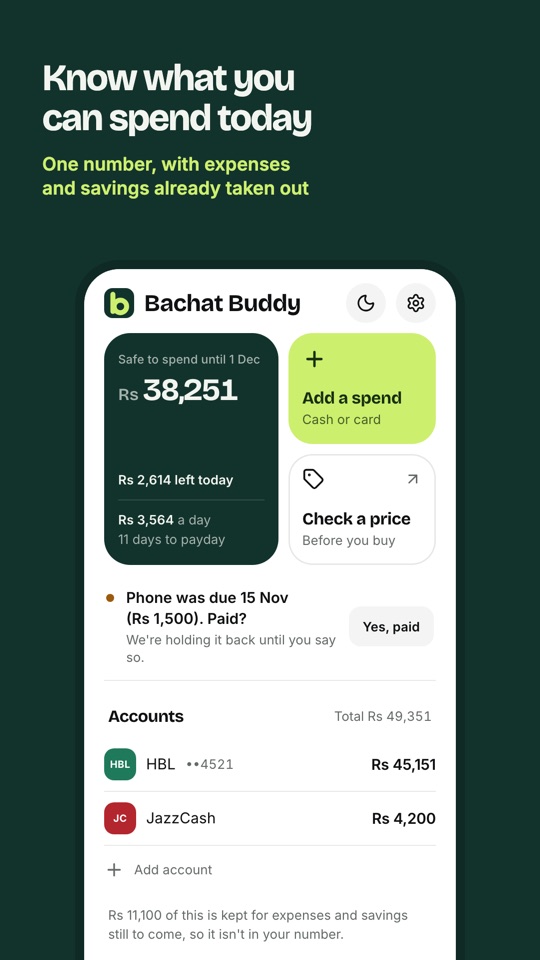
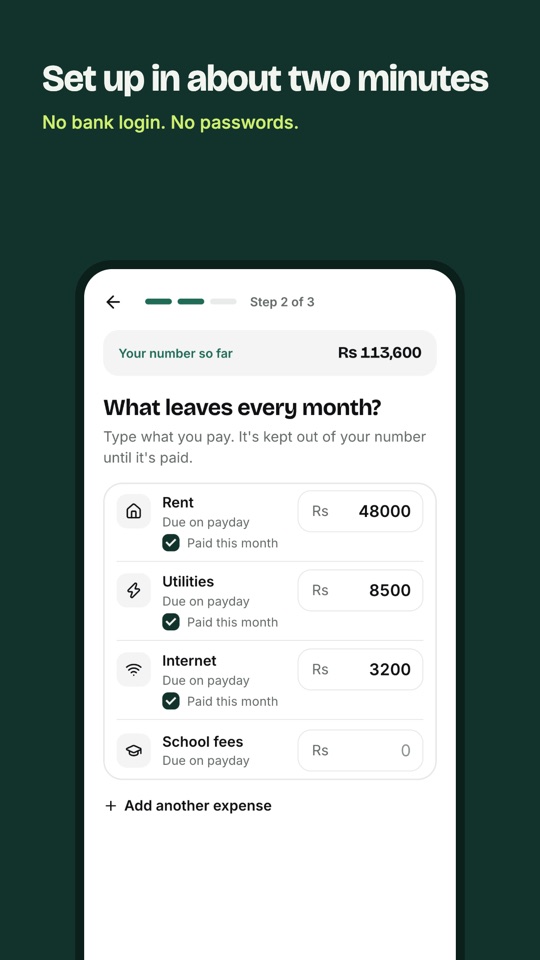
Tell it your pay, your payday and what leaves every month. It shows the rest as one number.
One number for today
What you can spend a day until payday, after rent, bills and savings are kept aside.
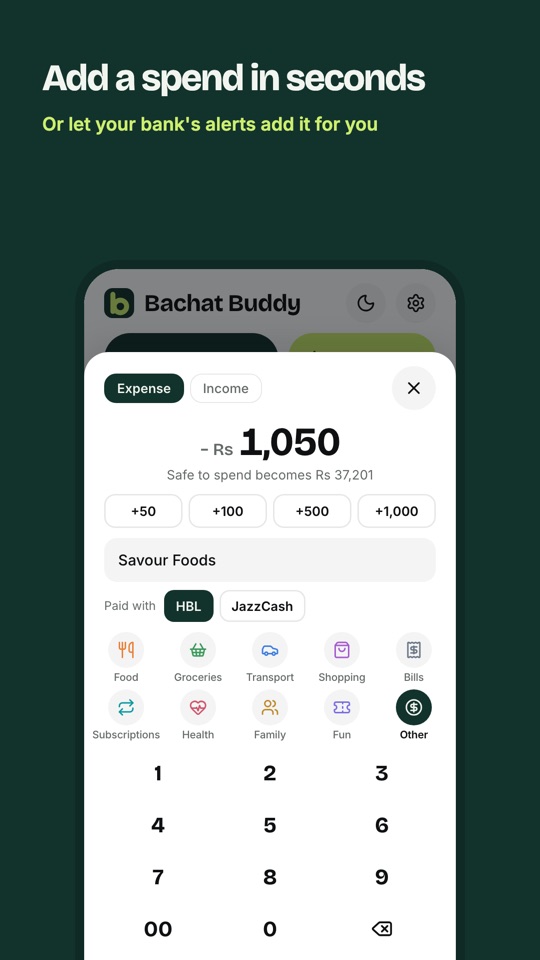
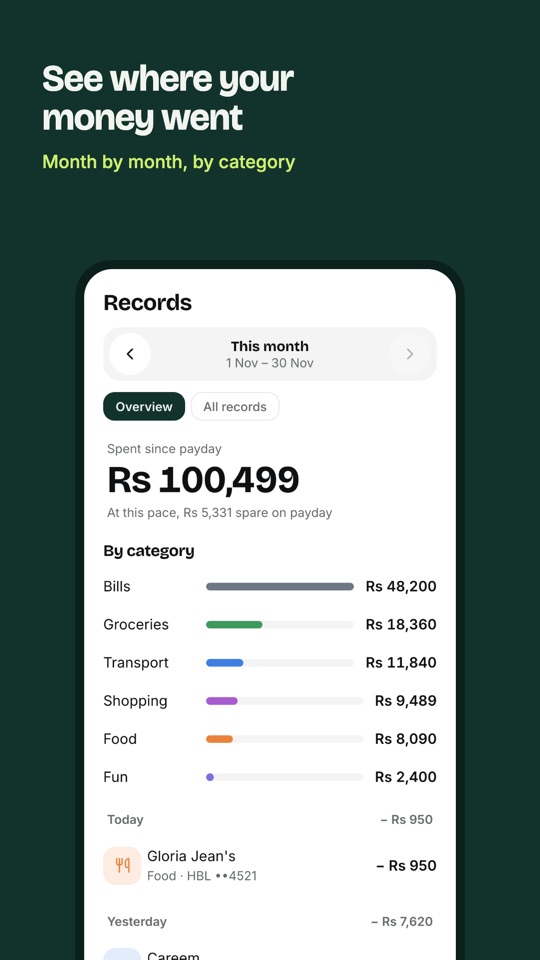
Spends add themselves
Payment alerts from your bank and wallet apps are read on your phone and taken off your number.
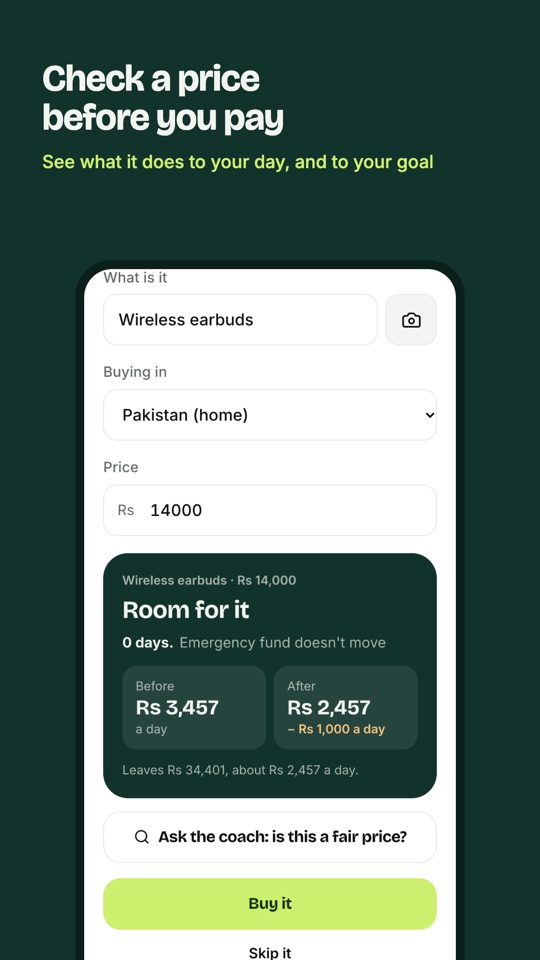
Check a price first
Type what something costs and see what it does to your day, and whether it moves your goal.
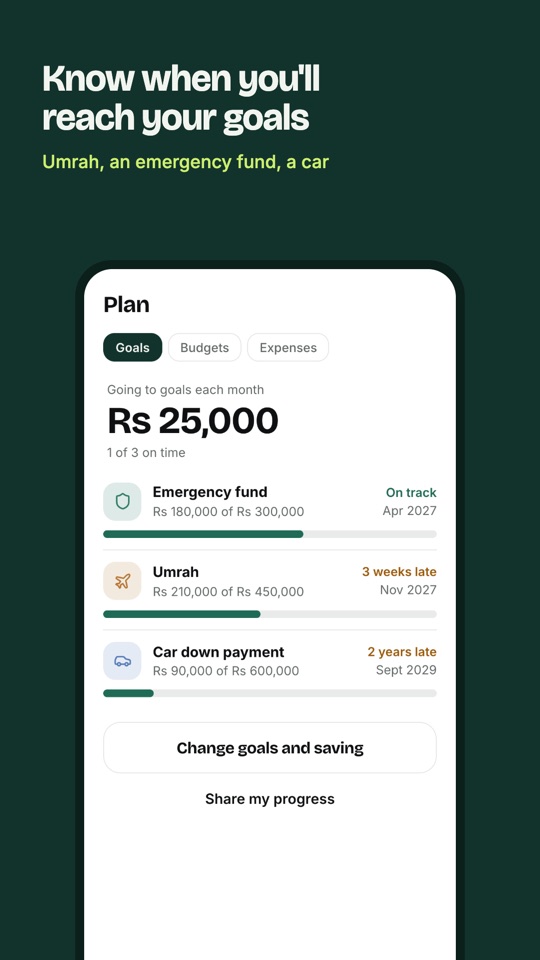
Goals with a date
Umrah, an emergency fund, a bike, a wedding: see when you'll get there.
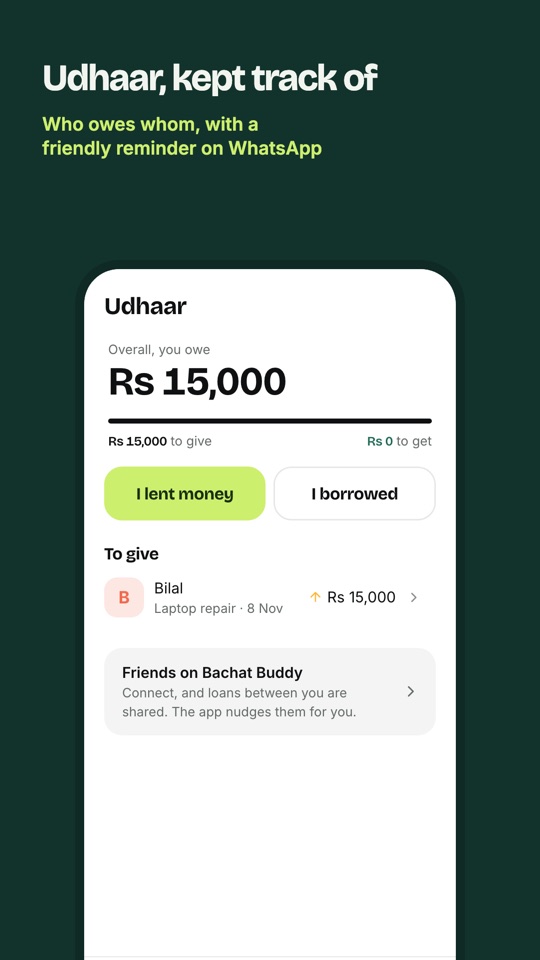
Udhaar, kept track of
Who owes whom between friends and family, with a friendly reminder on WhatsApp.
Cash too
Paying in cash? Add a spend in seconds, or scan the receipt.
- HBL
- MCB
- Meezan
- UBL
- Bank Alfalah
- Allied
- Faysal
- Askari
- BankIslami
- JazzCash
- Easypaisa
- SadaPay
- NayaPay
Your money stays on your phone.
- No sign-up, no bank login. You never give the app a password.
- Alerts are read on your phone and never sent anywhere.
- Your pay, balance and spends stay on your phone. Uninstalling removes them.
- Udhaar with friends and the AI coach are optional, and only what you share leaves the phone.
Does Bachat Buddy connect to my bank?
No. It reads the payment notifications your bank and wallet apps already show on your phone, with your permission. It can't move money or see your account.
Is it free?
Yes. The everyday features are free, with no ads.
Which phones does it work on?
Android 7 and newer. It's in English and Urdu, in light and dark.
What if it misses an alert?
Add the spend yourself in a few taps, and tell us through Settings → Report a problem so the next one is caught.